
Clutch Installation Guide 1.0
This Quick Guide walks you through installation and first use of your RARE Clutch.
1. Installation
* for detailed instructions watch the Installation Tutorial on Youtube
1. Switch off your bike completely.
Long press the UP + DOWN buttons until the white LED on your Varg turns on.
2. Mount the RARE Clutch lever onto the handlebars.
3. Remove the front plate and open the connector box
3. Remove the light mask.
4. Unplug the headlight.
4. Unplug the throttle cable from the bike and pull it out of the connector box.
5. Unplug the throttle cable from the bike.
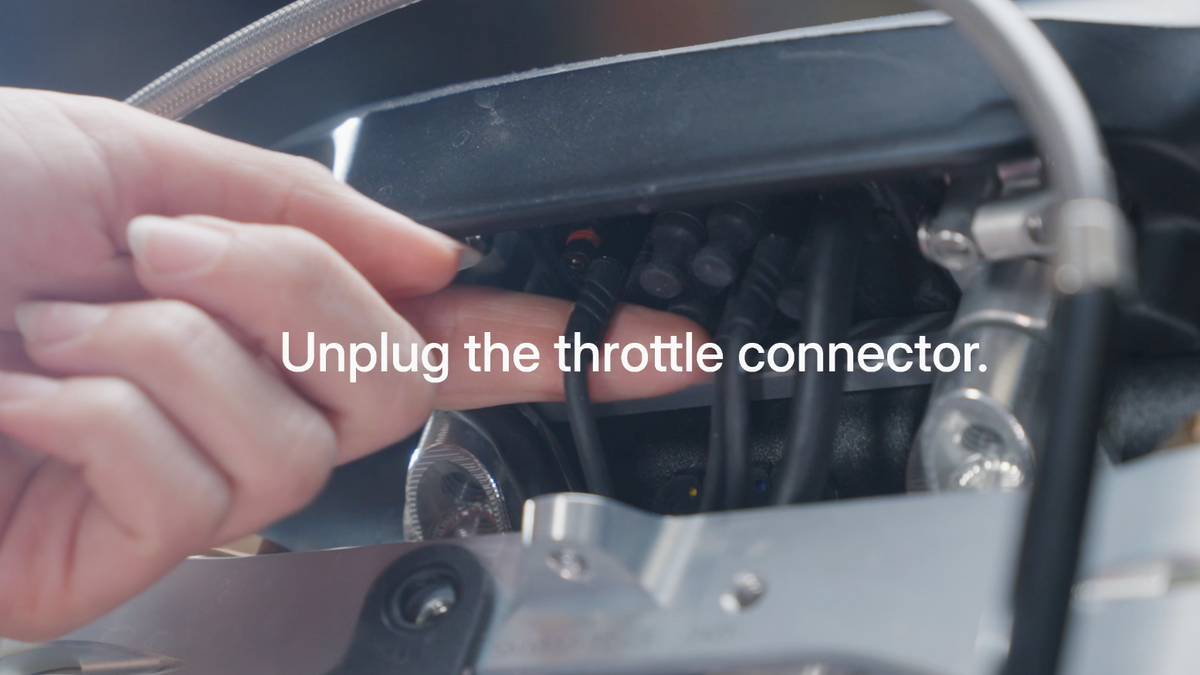
5. Connect the throttle cable to the RARE Control Unit (CU)
6. Connect the throttle cable to the RARE Control Unit (CU)
6. Insert the remaining cable from the CU into the connector box and connect it to the bike.
7. Connect the remaining cable from the CU to the bike.
8. Verify all connections and ensure correct cable routing.
7. Verify all connections and ensure correct cable routing.
8. Reassemble the connector box and mount the RARE Control Unit on the triple clamp.
9. Mount the RARE Control Unit on the triple clamp, placing it on top of the throttle cable’s plastic holder.
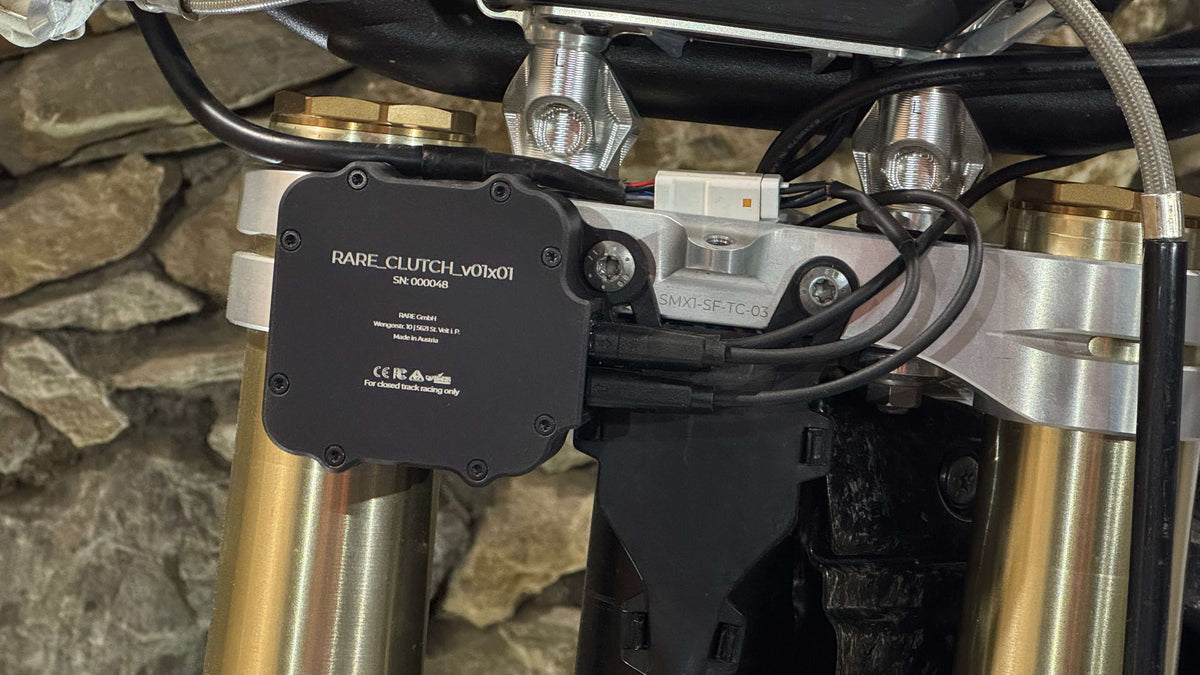
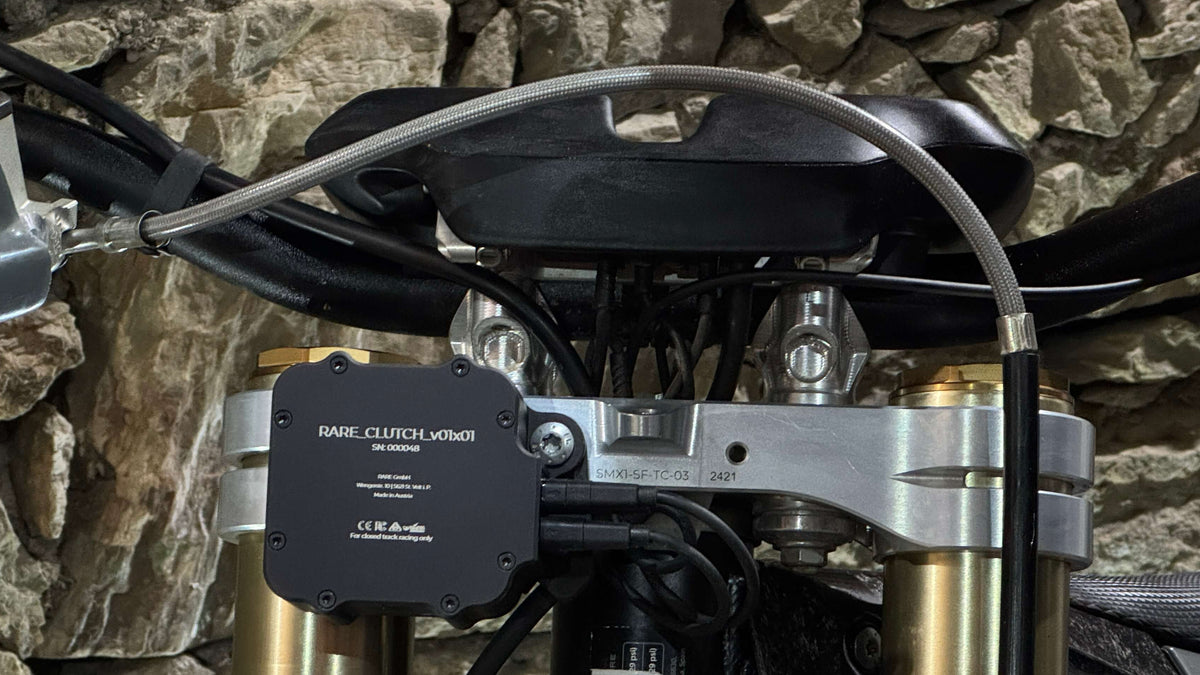
10. Switch on your bike.
11. Perform a functional test with the engine in neutral.
12. While standing next to the bike, place it in a safe position, switch into first gear and test clutch and throttle functionality.
9. Switch on your bike.
10. Perform a functional test with the engine in neutral.
11. While standing next to the bike, place it in a safe position, switch into first gear and test clutch and throttle functionality.
2. Update to latest firmware
To update the clutch to the latest firmware version, download the RARE Clutch App on your Stark phone. Download-Link
Update process:
1. Have your Varg switched on and connect the RARE App to the clutch
2. In the RARE App, go to settings > manage clutch > download firmware > start update
Important: keep the bike and the phone ON during the entire update process.
3. Ready to ride
After completing the installation steps and updating your clutch to the latest firmware version, your bike is ready to ride. You can now test the clutch under normal riding conditions.
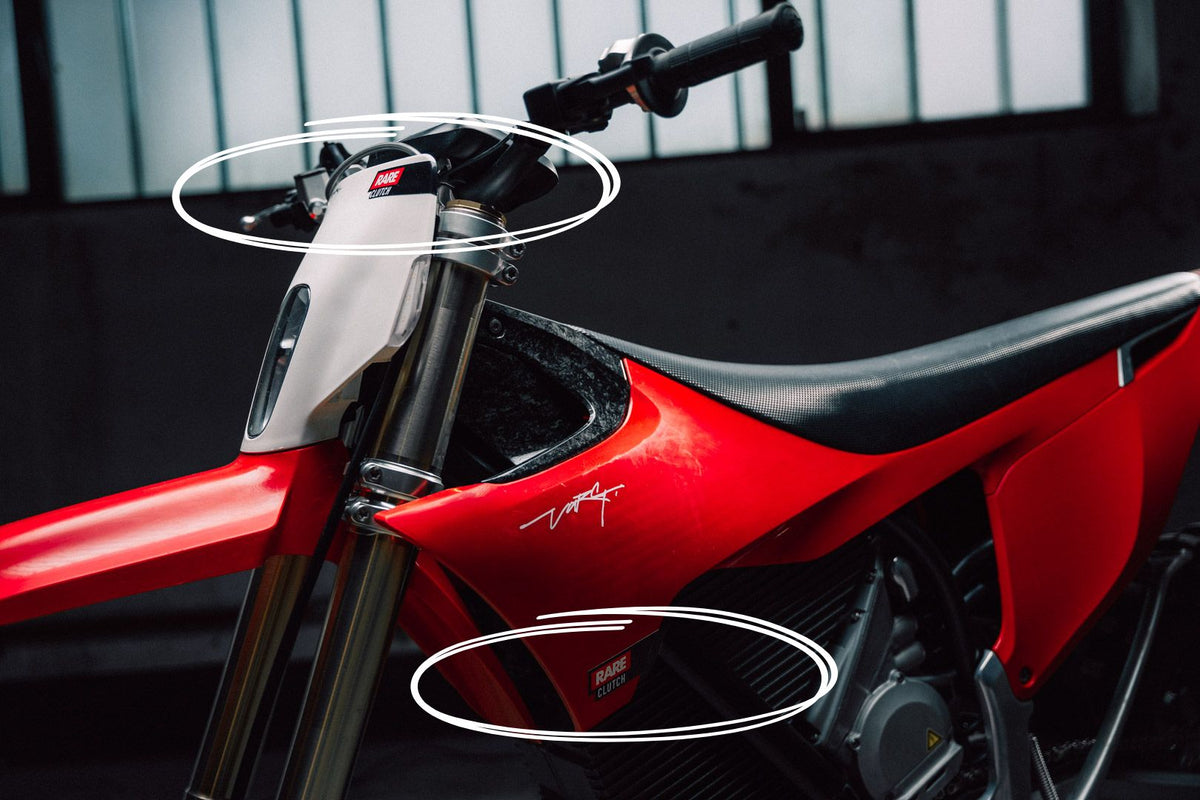
4. Sticker Kit
To officially join the RARE Rider Team, feel free to install the sticker kit.
One on each side and one on the front plate/light mask.
5. Settings
The RARE Clutch comes pre-configured for enduro riding.
The default setup provides a new smooth, progressive throttle response with gently rising and falling RPM, while ensuring immediate and precise clutch engagement at all times.
6. Custom Modes & App Control
For personalized settings, download the RARE Clutch App on your Stark phone. Download-Link
You can store up to 5 custom modes and adjust:
• Clutch engagement range (bite point and end point)
• Throttle and engine response
• Sound and volume
All changes are applied live.
Press “Save” to store the settings in the selected mode. test
7. CU Buttons
The buttons on the CU are for switching modes & volume Control.
• Press and hold the (+) or (-) button for > 1 second to change between 5 modes.
• Short-press the (+) or (-) button to adjust the volume in the currently active mode
8. Power-Off Check
When the bike is not in use, check whether the clutch produces a sound when you pull the clutch lever and apply throttle. Depending on your bike’s software, you may need to fully power off the system to also power off the RARE Control Unit & Clutch. (Long-press the UP & DOWN buttons on your Varg’s control switch, until the white LED turns on.)
9. Lets go!
The RARE Clutch is the missing piece. Let´s not leave any doub that electric is the future! Ride safe and bring your riding to a new level!
Follow us on Youtube to find tutorials on how to make the most of riding with the RARE Clutch.
